
An active PriceFetchWP license allows you to use the plugin and receive future updates through WordPress.
Activate Your License
After installing PriceFetchWP, go to:
WordPress Dashboard → PriceFetchWP

Enter your license key in the PriceFetchWP License section and click: Activate PriceFetchWP
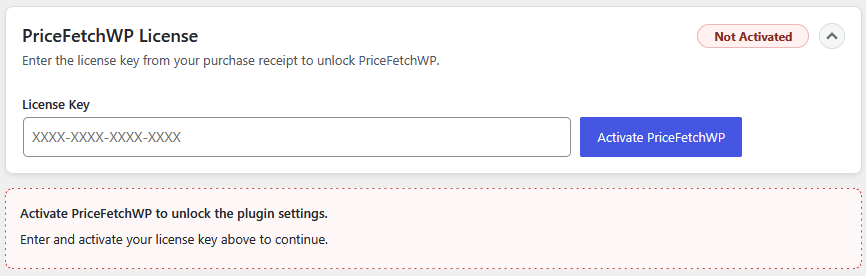
Once activated, the license status will show as active and the PriceFetchWP settings will become available. If the license key expires or is manually disabled, your settings are saved until the key is reactivated.
Moving Your License
When a license is activated on a WordPress instance, it will be tied to that site. If you need to move the PriceFetchWP license to another website, you can deactivate it on the old site first.
Go to the PriceFetchWP License section within the plugin and click: Deactivate
or
Go to your PriceFetchWP account > Keys > View and deactivate the domain listed under Activations.
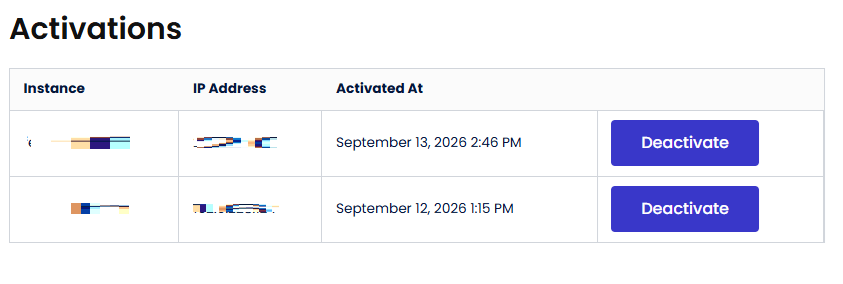
You can then activate the license on another site, subject to the number of site activations included with your license.
Plugin Updates
When your license is active, available PriceFetchWP updates will appear through the normal WordPress update system.
Check:
Dashboard → Plugins
or:
Dashboard → Updates
When a new version is available, use the normal WordPress Update Now option.
If You Have Problems
If your license will not activate or an expected update does not appear:
- Confirm the license key is correct
- Make sure the license is active and has available site activations
- Confirm your website can make outgoing HTTPS connections
If the problem continues, contact PriceFetchWP support.
As with any WordPress plugin update, keeping a current website backup is recommended before installing the new version. You can find the newest version of the plugin in your PriceFetchWP Account Downloads along with a previous version in case a rollback is needed.

